


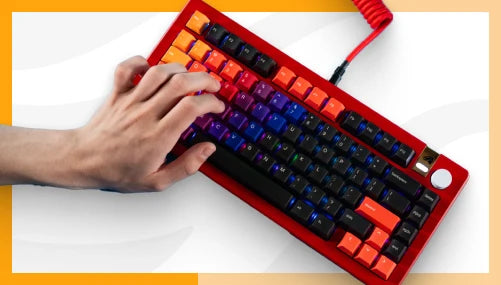
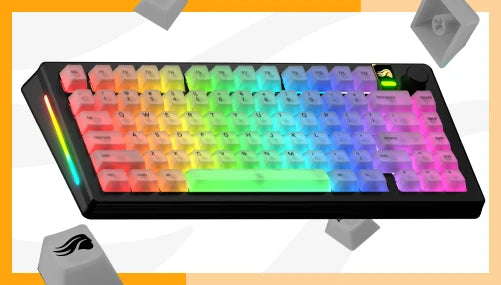

Hot-Swap Keyboard Explained: What It Is, Why It Matters, and How to Use It
Guides & Resources
May 27 2026
A hot-swap keyboard lets you pull switches out and insert new ones without soldering. The sockets hold each switch mechanically, so replacing them takes seconds per key and no tools beyond a switch puller. It means you can change how your keyboard feels - from linear to tactile to clicky - without replacing the board.
What Hot-Swap Actually Means
On a traditional soldered keyboard, each switch is attached to the PCB with solder - a conductive metal fused with heat. Changing a switch means melting that solder, pulling the switch, and re-soldering a new one. It is manageable if you have a desoldering kit and some patience, but it is not a casual weekend decision.
Hot-swap removes that step entirely. Instead of solder, each switch socket grips the switch's metal pins mechanically. Push a switch in until it clicks. Pull it out with a switch puller. The socket does the holding.
The GMMK 3 65% Prebuilt ships with Glorious Fox switches installed and supports any MX-compatible 3-pin or 5-pin mechanical switch. That covers most of the switches available from Glorious, Cherry, Gateron, Kailh, and similar manufacturers - though switch compatibility outside of the listed 3-pin/5-pin MX spec is not guaranteed for every third-party option.
Why Hot-Swap Changes the Decision
Most keyboard buyers face a problem before they buy: they do not know which switch type they prefer. Linear, tactile, or clicky all feel meaningfully different under your fingers. The difference between a 40g linear and a 50g tactile is not abstract - it is the typing experience you live with every session.
Without hot-swap, choosing wrong means buying a new keyboard or learning to desolder. That risk raises the stakes on a decision most new buyers are not equipped to make confidently.
Hot-swap moves the stakes. You pick a board and a starting switch. If the switches do not suit you after a week, you swap them for something different. The board stays. Only the switches change.
This is why hot-swap matters less as a spec and more as a philosophy: it separates the board decision from the switch decision permanently. For players still exploring what they like, that flexibility has real value. For builders who already know exactly what they want, it removes the friction of a soldering session every time preferences shift.
How to Swap Switches: Step by Step
The process takes under two minutes per switch once you have done it once.
What You Need
- A switch puller (included with the GMMK 3 65% Prebuilt)
- The new switches you want to install
- A clean, flat surface
The Steps
1. Power off and unplug the keyboard. USB-C detachable cable on the GMMK 3 means this takes two seconds.
2. Remove the keycap. Use the keycap puller to lift the keycap straight up from the switch stem. Pull evenly - do not torque sideways.
3. Pull the switch. Position the switch puller's prongs into the small notches on opposite sides of the switch housing. Squeeze gently and pull straight up. The switch should release cleanly from the socket.
4. Check the new switch's pins. If your new switch is 5-pin and you are installing it into a board that only accepts 3-pin, you will need to clip the two extra plastic positioning pins before installing. The metal pins should never be modified.
5. Insert the new switch. Align the switch with the socket - the south-facing side (where the LED shines through) should face toward you. Press the switch firmly and evenly straight down until you feel it seat. Both metal pins must enter the socket cleanly.
6. Reinstall the keycap. Press it down until it clicks onto the switch stem.
7. Test before moving on. Plug the keyboard back in and press the new switch to confirm it registers. One dead key caught early is easier to diagnose than a full board of unregistered keys.
Repeat per switch. A full keyboard swap takes 30 minutes or so depending on layout size - a 65% is faster than a 100%.
One caution: inserting a switch with bent pins can damage the socket. Always check that pins are straight before inserting.
Which Switches Should You Start With
The GMMK 3 65% Prebuilt ships with Glorious Fox switches installed - a linear with 45g actuation force and 2mm actuation distance. They are factory pre-lubed from Glorious and have a low sound level. These are a reasonable starting point for most users, and a deliberate choice for players who want a fast, quiet keystroke without tactile feedback.
If Fox linears are not the right fit after a week of use, the options from Glorious's MX switch lineup cover the main preference categories:
Want tactile feedback without a click sound? Glorious Mako - 45g actuation, medium sound, 2mm actuation. Or Glorious Panda Standard - 50g actuation, 2.5mm actuation distance, for a more pronounced bump.
Want a premium smooth linear? Glorious Lynx - 40g actuation, 2mm, lower actuation force than Fox for a lighter touch. Factory pre-lubed.
Want an audible click? Glorious Raptor - 55g actuation, high sound level, premium clicky.
All Glorious MX switches are compatible with the GMMK 3 65% hot-swap sockets.
Hot-Swap at This Price Point
The GMMK 3 65% Prebuilt retails at $139.99 in the US. At that price, you get hot-swap sockets, GPBT Doubleshot keycaps, a Modular Gasket System with 9 points of modularity, per-key RGB with sidelights and badge lighting, and a detachable USB-C cable - in addition to the Fox switches installed.
The gasket mounting reduces typing noise and softens keystroke feel by decoupling the PCB from the case. The GPBT Doubleshot keycaps are the keycap tier most builders would choose to replace ABS keycaps on a less-equipped board. Getting both in a Prebuilt means the upgrade path - if you want one - is switches first, not switches plus keycaps plus mount system.
"The Glorious GMMK 3 is the full package - and that package can be anything you need it to be. Its endlessly customizable design, beautiful typing feel, and inclusion of high-end gaming tech makes it difficult to beat in the current market...." - GamesRadar
Explore the full Glorious keyboard lineup, including hot-swap options across layouts, at gloriousgaming.com/collections/keyboards.
Frequently Asked Questions
What is a hot-swap keyboard?
A hot-swap keyboard has switch sockets that hold each switch mechanically rather than with solder. Switches can be pulled out and replaced without any heat tools. The GMMK 3 65% Prebuilt supports MX-compatible 3-pin and 5-pin switches and ships with Glorious Fox switches installed at $139.99 USD.
Will swapping switches damage my keyboard?
The hot-swap sockets are designed for repeated switch changes. The main risk is bent metal pins - if a switch's pins are not aligned before insertion, forcing them can damage the socket. Check that pins are straight before inserting and press evenly. The GMMK 3 carries a 2-year warranty.
Do all switches work in a hot-swap keyboard?
The GMMK 3 65% supports MX-compatible 3-pin and 5-pin mechanical switches. Most mechanical switches from Glorious, Cherry, Gateron, and Kailh use this standard. Switches outside that MX-compatible specification are not covered. If your new switches are 5-pin and the board reads them as 3-pin, you may need to clip the two plastic positioning pins - but never modify the metal pins.
Is hot-swap worth paying more for?
If you know exactly which switch you want and plan to keep it indefinitely, the premium for hot-swap is optional. If you are still exploring switch feel - or expect your preferences to shift - hot-swap means you pay for one board instead of several. It also extends the useful life of the keyboard if a switch type stops being produced. The GMMK 3 65% Prebuilt at $139.99 includes hot-swap sockets, GPBT Doubleshot keycaps, and a gasket mount - so the premium covers more than hot-swap alone.
What is the difference between 3-pin and 5-pin switches?
3-pin switches have two metal legs and one plastic center pin. 5-pin switches have two metal legs and three plastic pins. The extra two plastic pins on 5-pin switches provide additional alignment stability in the socket. Both types work in the GMMK 3 65% hot-swap sockets. If you want to install a 5-pin switch in a board that only supports 3-pin, clip the two extra plastic pins flush - but only the plastic ones. Never modify the metal contact pins.