


Hall Effect Switches Explained: Why They're Taking Over Competitive Gaming
Guides & Resources
Jun 22 2026
A hall effect switch uses a magnet instead of metal contacts to register keypresses. When you press the key, a magnet inside the housing moves toward a sensor — no physical contact required. That change makes rapid trigger, per-key actuation adjustment from 0.1mm to 4.0mm, and essentially zero contact wear all possible at once. Standard mechanical switches can't do any of those things because they're built around contact.
How a Hall Effect Switch Actually Works
Standard mechanical switches register a keypress when two metal contacts meet. Press far enough, the contacts touch, current flows, keypress registered. Release, the contacts separate, spring returns the key.
That contact point is both the mechanism and the limitation. Over millions of keypresses, metal contacts develop a behavior called contact bounce — the contacts don't snap open and shut cleanly, they briefly "bounce" before settling. To compensate, keyboards insert a deliberate debounce delay, typically 5–10ms, to wait for the signal to stabilize before registering. That delay exists entirely because of the physics of metal touching metal.
Hall Effect switches remove the contact point. Inside the housing, a small permanent magnet sits on the stem. Below it is a Hall Effect sensor — a semiconductor that detects changes in magnetic field strength. When you press the key, the magnet descends toward the sensor. The sensor reads the changing field and outputs a continuous position value, not a binary on/off signal.
The switch never physically touches anything. No contact bounce. No debounce delay needed to compensate for it. The position output is continuous — which is what makes rapid trigger and adjustable actuation possible in ways contact switches structurally cannot deliver.
Rapid Trigger: The Feature That Changes How You Play
Rapid trigger is the most direct competitive advantage Hall Effect technology enables.
Standard mechanical switches register a keypress at a fixed actuation point — typically around 2mm — and require the key to return past a slightly higher reset point before registering again. That reset threshold exists because of contact bounce: the switch has to return to a stable off-state before it can reliably trigger again.
With Hall Effect switches, there is no fixed reset point. Rapid trigger lets the keyboard register a new press as soon as the key moves downward again, even if that movement is as small as the minimum detection threshold. On the GMMK 3 HE, this is controlled via Glorious CORE software. Press, release 0.5mm, press again — that second press registers immediately. On a contact switch, you would have needed to return the key close to the top of its travel before the board would accept another input.
In practice, this compresses the repress cadence on movement keys. Counter-strafing, directional changes, and repositioning inputs land faster than standard switch physics allow. It is not a software feature that can be patched into a contact keyboard — it works because the HE sensor reads position continuously throughout the stroke.
PC Gamer hardware writer Andy Edser, reviewing the GMMK 3 HE with Glorious Fox HE Switches in October 2024, described the feel: "The Glorious Fox linear magnetic Hall effect switches are as smooth as silk, and there's a crispy reflex to the action." (PC Gamer, October 2024)
Adjustable Actuation: Set Your Threshold Across the Full Stroke
Every Glorious HE switch allows the actuation point to be set in 0.1mm stages across a range of 0.1mm to 4.0mm. Total key travel is 4.0mm for all variants.
On a standard mechanical switch, actuation is fixed at manufacturing — usually between 1.5mm and 2.2mm depending on the switch model. You cannot change it without physically modifying the switch.
With HE, you can set actuation to 0.1mm (near the top of travel, lightest touch) for games where the fastest possible response per keypress matters, or to 3.5mm (near the bottom of travel) for typing work or games where accidental inputs are a bigger problem than response speed. You can assign different actuation points to different keys — movement keys at 0.5mm, spacebar at 2.0mm, function row at 3.0mm.
The full 0.1mm–4.0mm range and 0.1mm step size are verified spec for all Glorious HE switch variants. This configuration is managed per-key in Glorious CORE.
4:1 Dynamic Keystroke
The GMMK 3 HE adds a feature called 4:1 Dynamic Keystroke: a single physical key can be mapped to up to four separate inputs depending on how far it's pressed. Press 20% of the way down, get one action. Press 60%, get another.
This has no equivalent in standard mechanical keyboard firmware. It exists because the HE sensor reads the key's full positional data throughout the stroke, not a single on/off threshold.
The HE Switch Family: Which Variant Fits Your Feel
Glorious produces four Hall Effect switch variants for the GMMK HE platform. All four share the same Hall Effect mechanism, 0.1mm–4.0mm adjustable actuation range, and 4.0mm total travel. The differences are in the physical feel archetype.
Glorious Fox HE Switches. Linear. 45g actuation force. Low audible signature. Factory pre-lubed. The Fox HE Standard is the default option in most GMMK 3 HE configurations. Smooth travel with no tactile bump and a quiet profile. Andy Edser at PC Gamer: "smooth as silk, and there's a crispy reflex to the action."
Glorious Lynx HE Switches. Linear. 40g actuation force. Lighter touch than Fox HE. Available in Standard and Silent variants. The Silent variant is designed for reduced noise — no dB measurement is available in current spec documentation.
Glorious Panda HE Switches. Premium Tactile. 45g actuation force. Available in Standard and Silent variants. Edser reviewed a custom build using Panda HE switches alongside Fox HE: "Both have a stupendously gorgeous action and sound, built like they're designed to last forever." (PC Gamer, October 2024)
Glorious Raptor HE Switches. Premium Clicky. 55g actuation force. High audible signature. The only clicky variant in the Glorious HE family.
All four variants are factory pre-lubed and hot-swappable within the GMMK HE platform. An important compatibility note: Glorious HE switches are not compatible with standard MX-compatible hotswap PCBs. If you want to run HE switches, they go in a GMMK HE keyboard — not any other board.
Durability: What Removing the Contact Point Changes
Standard mechanical switches are rated to a keystroke lifespan — commonly 50 or 100 million actuations — based on the wear life of the metal contacts. Hall Effect switches have no metal contacts. The magnet moves past the sensor; neither element experiences physical wear from that interaction.
The theoretical wear mechanism that drives a contact switch toward end-of-life does not apply to HE switches in the same way.
What does wear on an HE switch over time: the stem, housing, and spring — the same mechanical components shared with contact switches — are subject to friction and fatigue from repeated travel. A long-term lifespan figure for HE switches based on those components would require separate testing.
Who Should Get a Hall Effect Keyboard
Rapid trigger, adjustable actuation, and 4:1 Dynamic Keystroke are competitive input tools. They address specific use cases. Hall Effect keyboards are not the obvious call for every buyer.
The case for HE: You play games where key re-registration speed affects outcomes — primarily FPS games involving counter-strafing, rapid directional changes, or tight movement inputs. You want per-key actuation control with 0.1mm precision. You want rapid trigger without firmware restrictions. You plan to swap switch feel types later without replacing the board — the GMMK 3 HE's dual HE/MX hotswap lets you run standard MX switches and swap to HE later, or vice versa.
The case for standard mechanical: You primarily type, code, or play games where HE features don't affect outcomes. You want access to the full MX-compatible switch ecosystem — hundreds of switches across dozens of manufacturers — rather than the Glorious HE family. Budget is a factor: the GMMK 3 HE starts at $179.99 for the 65% layout. The Glorious GMBK 75% at $59.99 is a well-built wired keyboard at a meaningfully lower entry point, without HE features. For a broader look at standard mechanical keyboard options and what separates tiers at different price points, the best budget mechanical keyboard guide covers the lower end of the market.
The short version: HE is for players where the tech addresses how they actually play. If rapid trigger and adjustable actuation have no practical effect on your game, the price premium over a standard mechanical doesn't pay off.
GMMK 3 HE: The Glorious Implementation
The GMMK 3 HE starts at $219.99 for the 65% layout, $224.99 for the 75%, and $239.99 for the 100%. It runs at 8,000 Hz polling rate over wired USB-C with a detachable cable.
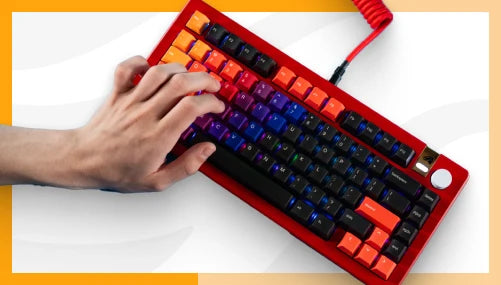
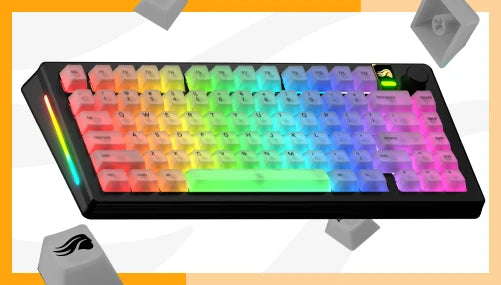
Dual hotswap support means the board accepts both Glorious HE switches and standard 3/5-pin MX-compatible switches. You are not locked into the HE ecosystem at purchase — run MX switches now and swap to HE later. GPBT Doubleshot keycaps are included. The Modular Gasket System has 9 points of modularity. Per-key RGB, sidelights, and badge lighting are configured via Glorious CORE.
Available in 65%, 75%, and 100% layouts in Black and White (ANSI and ISO).
For how the GMMK 3 HE sits against other HE keyboards currently on the market, the best hall effect keyboard 2026 guide covers the competitive landscape in full. For the mechanics of hot-swap and how HE swap differs from standard MX swap, hot-swap keyboard explained has the breakdown.
FAQ
What is a hall effect switch and how does it differ from a regular mechanical switch?
A hall effect switch uses a magnet and a magnetic sensor to detect keypresses instead of physical metal contacts. When the key moves, the magnet's position changes relative to the sensor, and the board reads that as a keypress. This enables actuation points adjustable from 0.1mm to 4.0mm in 0.1mm stages, rapid trigger re-registration, and removes the contact wear mechanism of standard mechanical switches.
What is rapid trigger on a hall effect keyboard?
Rapid trigger registers a new keypress as soon as the key moves downward again from any position, without requiring the key to return to a fixed reset point first. On the GMMK 3 HE, rapid trigger is enabled via Glorious CORE software. It is possible because the Hall Effect sensor reads the key's position continuously throughout the stroke — the same mechanism that enables adjustable actuation.
Are Glorious HE switches compatible with standard keyboards?
No. Glorious Fox HE, Lynx HE, Panda HE, and Raptor HE switches are exclusively compatible with GMMK HE keyboards. They will not function in standard MX-compatible hotswap PCBs. The GMMK 3 HE does accept standard 3/5-pin MX switches via its dual hotswap support — but the reverse is not supported.
What actuation force and travel do Glorious HE switches have?
Actuation force varies by variant: Fox HE at 45g, Lynx HE at 40g, Panda HE at 45g, Raptor HE at 55g. Total travel is 4.0mm for all variants. The actuation point is adjustable from 0.1mm to 4.0mm in 0.1mm stages via Glorious CORE software — set per key.
What is the difference between Fox HE, Lynx HE, Panda HE, and Raptor HE?
Fox HE is a linear at 45g with low audible signature. Lynx HE is a lighter linear at 40g, available in Standard and Silent. Panda HE is a tactile at 45g with a bump in the stroke, available in Standard and Silent. Raptor HE is a clicky at 55g with high audible signature. All four share the same Hall Effect mechanism, 0.1mm–4.0mm adjustable actuation, and Rapid Trigger support.